Coding Classes for Kids Bay Area 2026 — Guide for Parents
Your neighbor's eight-year-old just built an app. Your coworker's sixth-grader is taking AP Computer Science. Meanwhile, you're staring at 50+ coding class options across the Bay Area, wondering which one won't be a waste of money.
Here's the truth most Bay Area parents don't realize: all coding classes are not the same. Live instruction with 4:1 ratio produces different outcomes than self-paced video platforms. Scratch is fundamentally different from Python. And the $300/month program isn't necessarily better than the $150/month one.
Quick Answer: Bay Area offers 50+ coding programs for kids ages 5-17 in formats ranging from self-paced online ($20-80/month) to live small-group instruction ($150-250/month) to intensive project-based academies ($300+/month). The right choice depends on your child's age, prior experience, and whether they want to build games, learn text-based coding, or explore robotics. Most quality programs cost $150-250/month for weekly after-school classes, with trial classes available for $20-40. Start with one trial class in your child's interest area before committing to a semester.
This guide covers the four main coding class formats, how to match your child's age and interest to the right format, and three specific Bay Area programs to trial this month — without locking into expensive year-long contracts.
What You Need to Know Before Choosing
Build your summer plan
Map every week of summer in 3 minutes
KidPlanr lays out every week with camps that match each kid's age and interests — and tracks which weeks still have spots.
Build my calendar →The Four Main Formats (And What They're Actually Good For)
Bay Area coding classes fall into four distinct categories. Understanding which format fits your child matters more than picking the "most prestigious" brand name.
1. Self-Paced Online Platforms
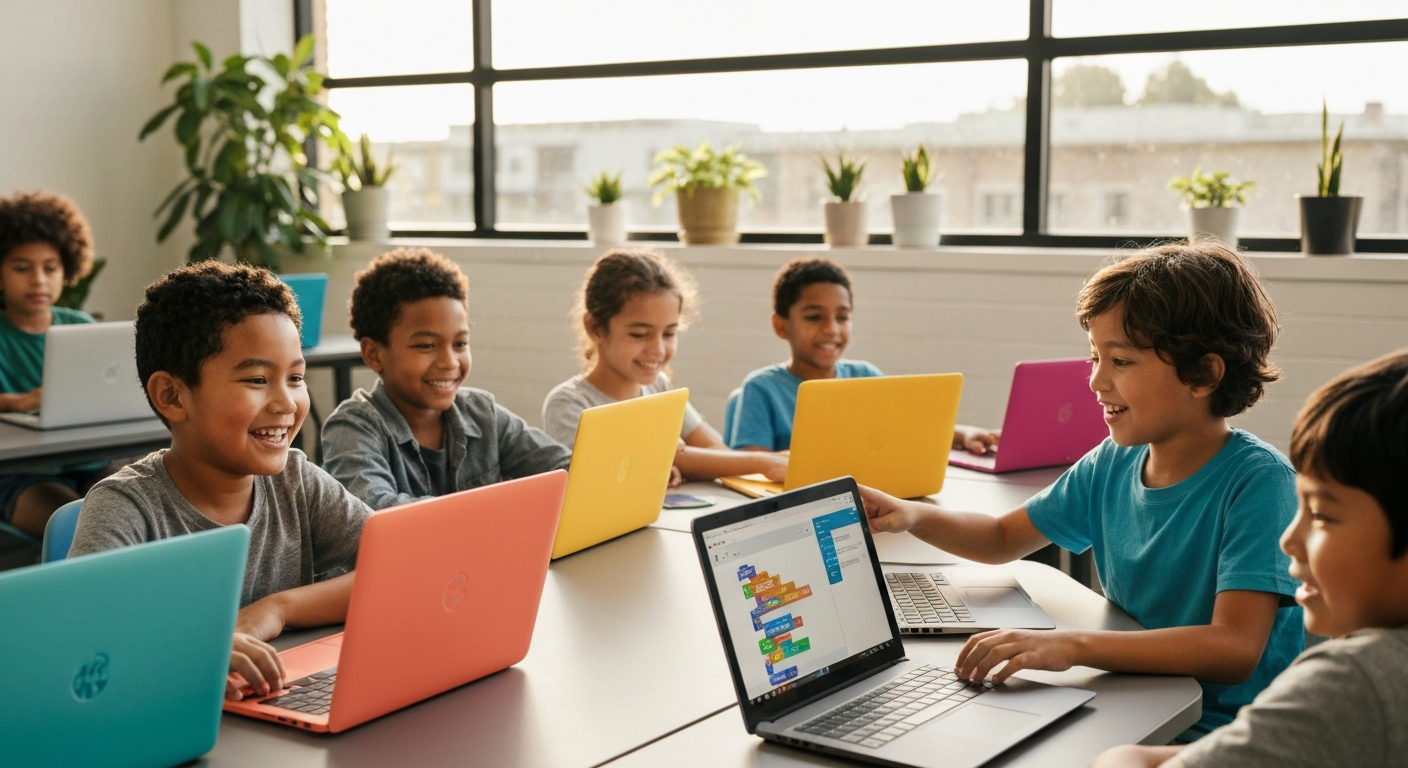
What it is: Video lessons kids watch at home, completing challenges independently. Think Code.org, Scratch tutorials, or platforms like Khan Academy coding modules.
Best for: Kids ages 7-10 with strong self-direction who already love screen time, or as a low-risk introduction to see if your child has any interest.
Typical cost: $20-80/month or free (Code.org, Scratch are free)
Reality check: Most kids under 10 need someone sitting next to them to stay on task. "Self-paced" often means "abandoned after two weeks" unless you're willing to co-learn alongside them.
2. Live Small-Group Instruction
What it is: 4-8 kids in a physical classroom or live Zoom session with an instructor who teaches, answers questions in real-time, and keeps everyone moving forward. Programs like The CoderSchool, iCode, Code Ninjas.
Best for: Kids ages 7-14 who benefit from structure and peer interaction. This is the "goldilocks" format for most Bay Area families — structured enough to keep kids progressing, social enough to stay engaging, affordable enough to sustain long-term.
Typical cost: $150-250/month for weekly 90-minute classes
Reality check: Quality varies by instructor. Ask to observe a class before enrolling. The 4:1 student-teacher ratio matters more than the curriculum brand.
3. Private 1-on-1 Tutoring
What it is: One instructor, one student. Highly personalized curriculum that adapts to your child's pace and interests.
Best for: Kids with specific goals (preparing for USACO competition, building a particular project, catching up after falling behind), kids who get lost in group settings, or kids with learning differences who need individualized attention.
Typical cost: $60-120/hour, typically 1-2 hours/week
Reality check: Expensive over time. Most families use this as a supplement to group classes, not as the primary format.
4. Intensive Project-Based Academies
What it is: Multi-week intensive programs where kids build real projects (games, apps, robots) with mentorship. Often tied to universities or tech companies. Examples: Veritas AI (Stanford PhD mentors), Applied Computing Foundation robotics tracks.
Best for: Highly motivated kids ages 12-17 with prior coding experience who want portfolio projects for college applications or who are preparing for competitions (FIRST Robotics, USACO).
Typical cost: $300-500/month or $1,500-3,000 for 6-8 week intensive programs
Reality check: These are not beginner programs. If your child has never coded before, they'll be overwhelmed. Start with Format #2, then move here after 6-12 months if they're still engaged.
Age-Appropriate Starting Points (What's Realistic)
Ages 5-7: Visual Block Coding (Scratch, ScratchJr)
At this age, kids are learning to read. Text-based coding is too abstract. Start with drag-and-drop visual coding (Scratch) where they can see immediate results — animate a character, make a sound, change a color.
What to expect: They'll make simple animations and games. Don't expect apps. Focus is on logic (if/then, loops) disguised as play.
Best formats: Live small-group (Format #2) or co-learning at home with free Scratch tutorials.
Ages 8-10: Introduction to Text-Based Coding (Python, JavaScript basics)
Kids can now transition from visual blocks to actual code. Python is the most common starting language — readable syntax, immediate feedback, used in real-world tech.
What to expect: Simple text-based programs (number guessing games, calculator, chatbots). By age 10, kids can build basic interactive programs.
Best formats: Live small-group (Format #2). This is where in-person instruction pays off — kids hit syntax errors constantly and need real-time debugging help.
Ages 11-13: Building Real Projects (Game Development, Web Development)
Middle school is when coding shifts from "learning syntax" to "building things." Kids want to make games their friends can play, websites they can share, or apps that do something useful.
What to expect: They can now build functional projects: browser games using JavaScript, Discord bots, simple mobile apps. Interest often peaks here because projects feel real.
Best formats: Live small-group (Format #2) or project-based academies (Format #4) if they're self-motivated.
Ages 14-17: Advanced Topics + Portfolio Building (AP CS, Algorithms, Competition Prep)
High school coding is about depth. Some kids prepare for AP Computer Science, others compete in USACO (USA Computing Olympiad), others build portfolio projects for college applications.
What to expect: This isn't "fun intro coding" anymore. They're learning data structures, algorithms, object-oriented programming. It gets rigorous.
Best formats: Private tutoring (Format #3) for competition prep, or project-based academies (Format #4) for portfolio work. Live small-group often moves too slowly for motivated high schoolers.
Top Bay Area Coding Programs to Try First
Here are three programs with strong Bay Area presence, trial class options, and realistic pricing. These aren't the only options — they're starting points to help you understand what quality instruction looks like before committing.
1. The CoderSchool — Live Small-Group with Mentor Model
Locations: Berkeley, Cupertino, Fremont, Palo Alto, Pleasanton, San Francisco, San Jose, San Mateo, San Ramon
Ages: 7-18
Format: Small-group classes (4:1 ratio) with assigned mentor who adapts curriculum to each student's pace. Mix of Scratch, Python, JavaScript, game development.
Pricing: Approx $200-250/month for weekly 90-minute classes
Trial option: Contact location for trial class availability (typically $30-40)
Best for: Kids who need structure but also want some personalization. The mentor model means your child isn't stuck at the class's slowest pace.
2. iCode — Project-Based STEM + Coding
Locations: Palo Alto, San Jose Southeast
Ages: 6+
Format: Weekly classes in coding, robotics, game design, and AI. Project-based approach — kids build real games and apps. Includes summer camps.
Pricing: Approx $150-200/month for after-school programs
Trial option: Free trial class (check location for current offer)
Best for: Kids interested in more than just coding — robotics, game design, AI. Good for kids who want variety.
3. Code Ninjas — Gamified Progression System
Locations: Multiple Bay Area locations including Sunnyvale, San Ramon, North San Jose
Ages: 7-14
Format: Kids earn "belts" (like martial arts) as they progress through coding challenges. Drop-in flexibility — not locked to specific class times. Game-focused curriculum.
Pricing: Approx $150-250/month for unlimited drop-in access
Trial option: Contact location for trial session (typically $20-40)
Best for: Kids motivated by achievements/badges and parents who need scheduling flexibility (drop-in vs. fixed class times). Works well for kids who love games and want to build their own.
Other Notable Options (Research These if the Above Don't Fit)
-
Applied Computing Foundation (ACF) — Intensive robotics + competition prep for serious STEM learners. Locations: Los Altos, Sunnyvale, Mountain View, Milpitas, Fremont, San Jose. Higher cost ($300-500/month) but produces competitive robotics teams (FIRST LEGO League, VEX).
-
Veritas AI — Advanced project-based learning with Stanford/MIT PhD mentors. Palo Alto. Ages 12-17 with prior coding experience. Expensive ($3,000+ for intensive programs) but builds college-portfolio-worthy projects.
-
CodeFu — Community-center-based classes across Bay Area. More affordable option through schools and rec centers. Ages TK-8. Lower cost but less intensive than studio programs.
-
Juni Learning — Online live 1-on-1 tutoring (not Bay Area specific, but available to Bay Area families). Good for kids who don't thrive in group settings. $60-120/hour.
How to Actually Choose (Decision Framework)
Here's how to narrow down 50+ options to 1-2 trial classes this month:
Step 1: What's your child's current coding experience?
-
Zero experience (never touched code): Start with live small-group (Format #2) using visual blocks (Scratch). Programs: The CoderSchool (ask for Scratch track), iCode (beginner level), Code Ninjas (white belt start).
-
Some experience (made a few Scratch projects, tried an online tutorial): Live small-group (Format #2) transitioning to text-based coding (Python). Programs: The CoderSchool (Python intro), iCode (Python game development).
-
Solid foundation (comfortable with Python or JavaScript, built 3+ projects): Project-based academy (Format #4) or private tutoring (Format #3) for competition prep or portfolio building. Programs: Applied Computing Foundation (if interested in robotics), Veritas AI (if targeting elite college apps), or private tutoring for USACO prep.
Step 2: What's your child's interest area?
- Wants to make games: Code Ninjas (game-focused), iCode (game design track), The CoderSchool (JavaScript game development)
- Interested in robots: Applied Computing Foundation, iCode (robotics classes)
- General "I want to learn to code": The CoderSchool, iCode, Code Ninjas (all solid entry points)
- College application / competition focus: Veritas AI (projects), ACF (robotics competitions), private tutoring (USACO/ACSL)
Step 3: What's your realistic budget?
-
Under $100/month: Free self-paced (Code.org, Scratch tutorials) or community center classes through CodeFu. Requires high parental involvement to keep kid on track.
-
$150-250/month (sweet spot): The CoderSchool, iCode, Code Ninjas. This is the sustainable price range for most Bay Area families. Weekly classes, structured curriculum, real instructors.
-
$300+/month: Private tutoring, intensive academies (ACF, Veritas AI). Only necessary if your child has specific goals (competitions, portfolio, catching up) or needs 1-on-1 attention.
Step 4: Book 1-2 trial classes this month
Most programs offer $20-40 trial classes or free first sessions. Do NOT commit to a semester before trying. Trial class lets you assess:
- Does my child stay engaged for 90 minutes?
- Does the instructor adapt to different skill levels or teach to the middle?
- Does my child ask when the next class is, or complain the whole car ride home?
If your child doesn't mention the class at all in the 48 hours after attending, that's your signal. Try a different format or program.
Red Flags (When to Walk Away)
🚩 "Your child should be coding by age 5 or they'll fall behind"
This is fear-based marketing. Most successful engineers didn't start until middle school or high school. Age 5-7 coding is fine if your child enjoys it, but it's not a prerequisite for future success.
🚩 "Our program guarantees your child will build an app in 8 weeks"
Building a real app (not a tutorial clone) takes 6-12 months of consistent learning for most kids. Programs promising instant results are setting unrealistic expectations. Look for programs focused on building a strong foundation, not flashy outcomes.
🚩 Large class sizes (10+ kids per instructor)
Coding requires real-time debugging help. One instructor can't effectively support 12 kids hitting syntax errors simultaneously. If class size is above 8:1 ratio, instruction quality suffers.
🚩 "You must commit to a full year upfront"
Good programs offer month-to-month or semester-by-semester enrollment. Requiring a year commitment upfront signals they're worried about retention. Try programs with flexible exit policies.
🚩 Instructor won't let you observe a class
If a program won't let you sit in on one class (or watch a live Zoom session), they're hiding something. Quality programs welcome parent observation because they're confident in their instruction.
Realistic Expectations (What Most Kids Actually Do)
60% of kids who try coding quit within 6 months. This doesn't mean the program failed — it means your child explored coding, decided it wasn't their passion right now, and moved on. That's a successful outcome. You learned something about your child's interests.
The kids who stick with coding long-term? They're the ones who were already tinkering before you enrolled them. They downloaded Scratch on their own. They asked how games are made. Coding classes amplify existing interest — they don't create it from scratch.
Most kids won't become programmers, and that's fine. The goal isn't to turn every Bay Area child into a software engineer. The goal is teaching problem-solving, logical thinking, and persistence through debugging. Those skills transfer everywhere.
If your child learns to break down problems, test solutions, and iterate when something doesn't work — that's success. Whether they ever write another line of code after age 13 doesn't matter.
What Coding Classes Don't Do (Dispelling Bay Area Myths)
Myth: "Coding classes will give my child an edge in tech job applications 15 years from now."
Reality: The coding languages kids learn today (Scratch, Python, JavaScript) will be outdated or transformed by AI by the time they graduate college in 2035+. The value isn't the syntax — it's the problem-solving muscle memory.
Myth: "My child needs to do coding or they'll be behind their peers."
Reality: According to informal Bay Area parent surveys, fewer than 20% of elementary students report taking coding classes outside of school — far lower than the "everyone is coding" pressure suggests. Most kids still aren't doing it.
Myth: "Expensive coding programs have better instructors."
Reality: Instructor quality varies within brands, not across price tiers. A great instructor at a $150/month program will produce better outcomes than a mediocre instructor at a $300/month program. Trial the class and assess the actual person teaching your child.
What This Costs Over Time (Do the Math First)
Let's be realistic about long-term costs:
- 1 year of weekly coding classes ($200/month): $2,400
- 2 years (typical commitment before real skill development): $4,800
- + Summer camps (optional but common, $400-800/week for 2-3 weeks): $1,200-2,400
- Total 2-year investment: $6,000-7,200
This is the real range most Bay Area families spend if their child sticks with coding through middle school. If your child quits after 3 months, you're out $600-700 (totally fine — that's the cost of exploration).
Plan for at least 6 months before deciding whether coding is a good long-term fit. One semester isn't enough to know.
Decision Tree: Which Coding Class for My Kid?
Use this flowchart to narrow down to 2-3 programs to trial this month:
START HERE: How old is your child?

Ages 5-7:
  → Has your child used Scratch or ScratchJr before?
     YES → The CoderSchool (Scratch → Python transition track)
     NO → iCode (beginner block coding) or free Scratch at home first

Ages 8-10:
  → Does your child prefer working alone or with peers?
     ALONE → Juni Learning (1-on-1 online tutoring)
     WITH PEERS → The CoderSchool or Code Ninjas (small-group)
  → Main interest: Games vs. General Coding?
     GAMES → Code Ninjas (game-focused progression)
     GENERAL → The CoderSchool (broader curriculum)

Ages 11-13:
  → Current coding level?
     BEGINNER (never coded) → The CoderSchool or iCode (intro level)
     INTERMEDIATE (built 2-3 Scratch/Python projects) → iCode (project-based) or Code Ninjas (mid-level belts)
  → Looking for something beyond just coding?
     YES → iCode (robotics + AI + game design)
     NO → The CoderSchool (focused coding curriculum)

Ages 14-17:
  → Why are they learning to code?
     COLLEGE APPLICATIONS → Veritas AI (portfolio projects with PhD mentors)
     COMPETITION PREP (USACO, robotics) → ACF (robotics) or private USACO tutor
     GENERAL INTEREST / AP CS PREP → The CoderSchool (AP track) or private tutoring
  → Budget?
     $150-250/month → The CoderSchool (group AP CS prep)
     $300+/month → Veritas AI or private tutoring
Next step: Pick 1-2 programs from the above tree and book trial classes this week. Don't research for another month — just try something and see what happens.
Managing the Coding Commitment as a Working Parent
Scheduling Reality:
Most coding classes are 90 minutes once per week, typically 4:00-5:30 PM or 5:30-7:00 PM on weekdays. Some programs (Code Ninjas) offer drop-in flexibility — no fixed time slot. Others (The CoderSchool, iCode) require you to commit to a specific day/time each week.
If you work full-time and can't do weekday pickups, look for:
- Saturday morning classes (most programs offer at least one weekend slot)
- Drop-in programs (Code Ninjas) where your child can attend whenever you're available
- Online options (Juni Learning) where your child learns from home (requires independence; not ideal for kids under 10)
Cost vs. Benefit:
Coding is one of the more expensive after-school activities ($150-250/month). For comparison:
- Soccer club team: $100-150/month
- Music lessons (piano, violin): $120-180/month for weekly 30-minute lessons
- Gymnastics: $150-200/month
If your child is doing coding + another activity, you're looking at $300-450/month in after-school commitments. Make sure your budget and schedule can sustain that before starting.
When to Pause:
If your child is showing stress (school grades dropping, refusing to go to class, complaining constantly about coding), it's okay to pause. Learning to code is not mandatory. Some kids try it, realize it's not for them, and move on to something else. That's success — they explored, learned what they don't enjoy, and now know more about their interests.
What Success Actually Looks Like
6 months in:
- Your child can explain what a variable is and why loops matter
- They've built 3-5 small projects (simple games, animations, programs)
- They don't need you to sit next to them during class (if live instruction) or at home (if self-paced)
1 year in:
- They've transitioned from visual blocks (Scratch) to text-based code (Python or JavaScript)
- They can debug their own syntax errors without immediately asking for help
- They talk about coding concepts outside of class ("This game must use a collision detection loop")
2 years in:
- They've built at least one "real" project (a game their friends played, a website they shared, a chatbot that does something useful)
- They choose coding as a free-time activity at least once a month (not just showing up to class because you enrolled them)
- They can learn new languages/frameworks on their own using online resources
If your child hits these milestones, coding has "stuck." If not, that's fine too — they learned problem-solving, persistence, and logical thinking. Those skills transfer to every other domain.
Ready to Start? Here's Your Action Plan
This week:
1. Pick 1-2 programs from the Decision Tree above based on your child's age and interest
2. Contact them to book a trial class ($20-40 or free depending on program)
3. During trial: Watch your child's engagement level. Are they leaning in, asking questions, staying focused? Or checking the clock every 10 minutes?
After trial:
- If your child mentions the class within 48 hours ("When's the next one?" or "I want to build X like we did in class") → Enroll for one month
- If your child shows zero interest in talking about it → Try a different program or format
- If your child actively says they didn't like it → That's data. Don't force it. Try a different activity entirely.
Month 1-3:
- Your only job is to get them to class consistently. Don't ask "Did you learn anything?" or "Show me what you built" every single week. Let them explore without performance pressure.
Month 4-6:
- Decision point: Are they still engaged? If yes, continue. If no, pause and revisit in 6 months. Interests change.
Track Your Kid's Activities (Not Just Coding)
Coding is one piece of your child's activity mix. If you're juggling coding + soccer + music + weekend camps, it's easy to lose track of what's working and what's just filling calendar space.
KidPlanr Activity Tracker (launching May 2026) helps Bay Area parents manage year-round activities:
- See all your child's commitments in one place (no more checking five different studio portals)
- Track costs over time (know how much you're actually spending on activities)
- Get reminders for registration deadlines and trial class expirations
Common Questions Parents Ask
Q: My child is 6. Is that too young to start coding?
A: 6 is fine for visual block coding (Scratch, ScratchJr) if your child is interested. But it's not mandatory. Many successful engineers didn't touch code until high school. Don't feel pressure to start early just because you're in the Bay Area.
Q: Should my child learn Python or JavaScript first?
A: Python is more common for beginners (readable syntax, easier debugging). JavaScript is more visual (builds stuff you can see in a browser). Most programs default to Python ages 8-12, then add JavaScript for web development ages 12+. Either is fine — the language matters less than the problem-solving skills.
Q: My child did one Scratch tutorial and declared "coding is boring." Is there any point trying a formal class?
A: Maybe, maybe not. Self-paced tutorials at home feel different from live instruction where you're building projects with peers. But if your child showed zero interest, don't force it. Try again in 6 months or let them explore something else. Forcing coding on an uninterested kid produces resentment, not skills.
Q: Are online classes as good as in-person?
A: For kids 10+, yes. For kids under 10, in-person is usually better — they need physical presence to stay on task. Online works for highly self-directed kids or when you supplement with parent co-learning time.
Q: How do I know if my child has "talent" for coding?
A: Forget talent. Look for interest. The kids who succeed in coding long-term are the ones who choose it in their free time. If your child would rather play Fortnite than build a game in Scratch, they don't have coding interest (yet). That's fine.
Q: Will coding help my child get into a good college?
A: Not directly. Admissions officers don't care if your child learned Python at age 8. What matters is whether they built something meaningful by age 16-17 (portfolio projects) or competed successfully (USACO, robotics teams). Early coding classes are fine, but they don't unlock college admissions. Real projects at age 15-17 do.
Planning Summer Camps Too? Start Here
If your child's coding interest is strong enough to sustain through summer, Bay Area offers dozens of STEM and coding-focused summer camps:
- Day camps: Galileo, iD Tech, Applied Computing Foundation (1-week intensives, $400-800/week)
- Overnight camps: Stanford residential programs for high schoolers (2-week immersive, $2,000-3,000)
- University-hosted: Stanford, UC Berkeley, Santa Clara University all host summer coding camps
Search 3,000+ Bay Area summer camps including STEM options →
What Happens Next
You've read the full guide. You understand the four main formats, age-appropriate starting points, and which Bay Area programs to trial first. Now the only thing left is taking action.
Pick one program from the Decision Tree. Book a trial class this week. Watch your child's reaction. That's your answer.
If coding sticks, great — you've found an activity your child loves. If it doesn't, also great — you learned something about your child's interests and can redirect that time and money to something that fits better.
The worst outcome isn't trying coding and having your child quit. The worst outcome is not trying anything because you spent six months researching the "perfect" program instead of testing one and learning from real feedback.
Go book a trial class. See what happens.
Sources
- theCoderSchool Locations
- Bay Area Parent: Coding Programs for Kids
- iCode Bay Area
- Code Ninjas
- Computer Science Teachers Association — Age-Appropriate Curriculum Guidelines
Build your summer plan
Map every week of summer in 3 minutes
KidPlanr lays out every week with camps that match each kid's age and interests — and tracks which weeks still have spots.
Build my calendar