Coding Classes for Kids Bay Area — Format Guide
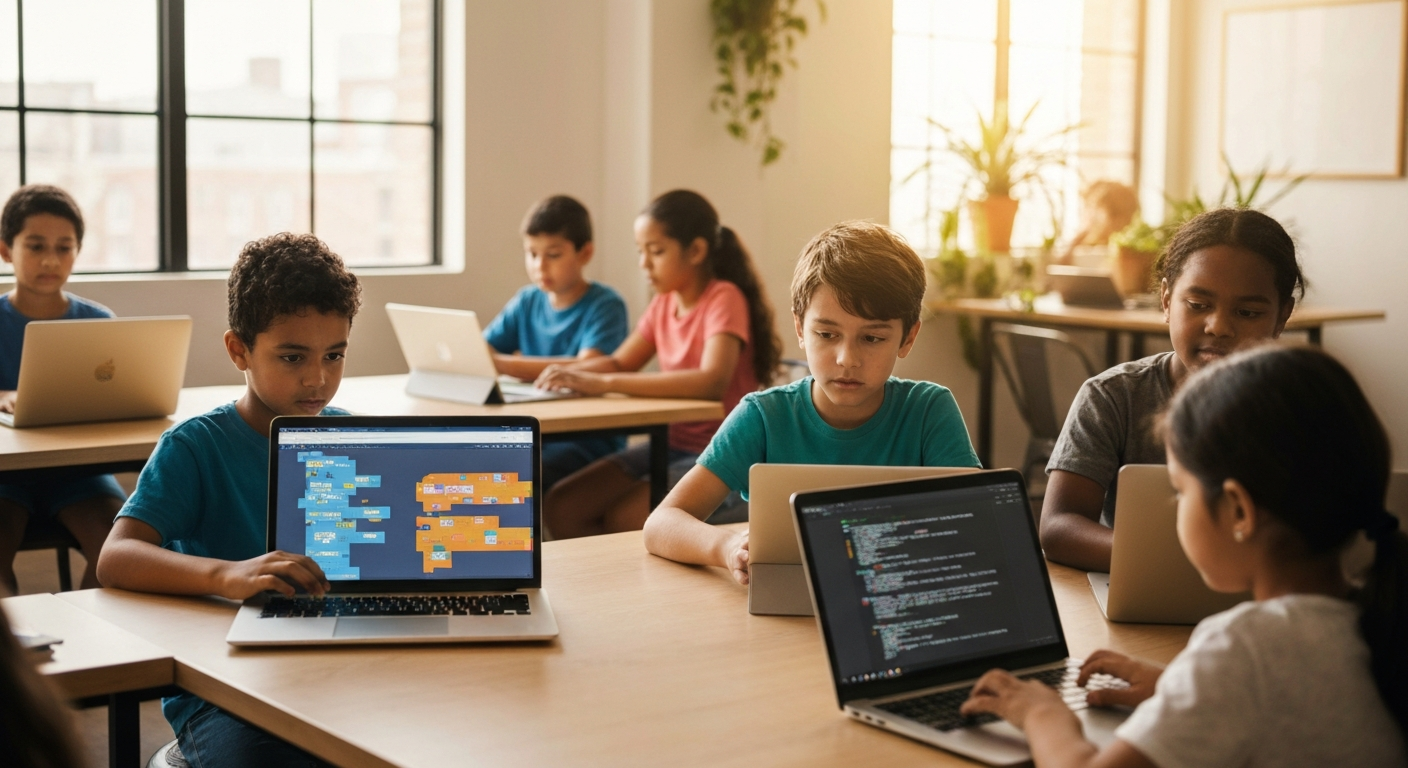
"My kid wants to learn coding. Should I sign them up for Code Ninjas or iCode?" It's the first question most Bay Area parents ask. But it's the wrong question.
The real question isn't which brand—it's which format. A 6-year-old learning Scratch block coding needs a different environment than a 12-year-old building Python apps. Sign up for the wrong format and your child will be either bored (too easy) or lost (too hard), regardless of how good the program is.
Quick Answer: Most Bay Area coding programs fall into four formats: visual block coding (ages 5-8), game development (ages 8-12), text-based programming (ages 10-14), and AI/advanced topics (ages 12+). Match the format to your child's current skill level—not their age alone. Trial classes are free at most programs; use them to test fit before committing. Pricing typically runs $80-$200/month for weekly sessions.
Why Coding Class Format Matters More Than Brand
Build your summer plan
Map every week of summer in 3 minutes
KidPlanr lays out every week with camps that match each kid's age and interests — and tracks which weeks still have spots.
Build my calendar →Every Bay Area parent has heard of Code Ninjas, iD Tech, or The CoderSchool. They're popular because they're good. But here's what doesn't get talked about: these programs teach different things at different skill levels, even within the same brand.
A "coding class" can mean:
- Dragging blocks in Scratch to make a character jump (visual programming)
- Typing Python commands to build a calculator (text-based coding)
- Using Unity to design a 3D game world (game development)
- Training a machine learning model to recognize images (AI programming)
All are "coding"—but they're as different as learning to read versus writing a research paper. Put a kindergartener in a Python class and they'll be lost. Put a middle schooler who's been coding for 2 years in a Scratch class and they'll be bored by Week 2.
What expensive coding programs won't tell you: The curriculum matters more than the instructor's resume. A $300/month program teaching text-based Python to a 7-year-old who isn't ready will deliver worse outcomes than an $80/month Scratch program at the local library.
The Four Coding Class Formats (And Which Ages They Actually Work For)
Format 1: Visual Block Coding (Scratch, Blockly, Code.org)
Best for: Ages 5-8, or complete beginners ages 9-10
What it is: Kids drag pre-made blocks (like puzzle pieces) to create programs. No typing code—just snapping blocks together in the right order.
Looks like: "When [space key] pressed → move character 10 steps → play sound"
Why this works for young kids: No reading complex syntax. No typing errors. Kids see cause-and-effect immediately—press the green flag, watch the character move.
When to skip it: If your child is 10+ and has already done Scratch at school for a year. They're ready for text-based.
Common programs in Bay Area:
- Girls Who Code (free, 150+ Bay Area sites including libraries) — visual coding for girls grades 3-5
- Code.org (free, can do at home) — self-paced visual coding lessons
- Juni Learning (online, $150-$200/month) — 1-on-1 Scratch courses for ages 5-7
Price range: Free (library programs, Code.org at home) to $150-$200/month (private 1-on-1)
Format 2: Game Development (Roblox Studio, Minecraft Modding, Unity)
Best for: Ages 8-12 who are motivated by creating games
What it is: Kids learn coding through making games. Roblox uses Lua (a real programming language), Minecraft uses Java or JavaScript, Unity uses C#.
Why this works: High motivation. Kids aren't learning syntax for the sake of syntax—they're coding to make their Roblox game work or build a custom Minecraft mod. The game is the reward.
When to skip it: If your child doesn't play or care about games. Game dev requires sitting through repetitive tasks (debugging, testing). If they're not intrinsically motivated by the game, they'll burn out fast.
Common programs in Bay Area:
- iD Tech (summer camps + online year-round, $800-$1,000/week for summer camps, ~$150-$200/month for online) — Roblox, Minecraft, Unity courses
- MakerKids San Francisco Bay Area (in-person, pricing varies by location) — Minecraft modding, Roblox coding
- TechKnowHow Kids (week-long camps at 10 Bay Area locations, pricing varies) — LEGO robotics + basic game coding
Price range: $150-$300/month for weekly classes, $800-$1,000/week for summer intensives
Format 3: Text-Based Programming (Python, JavaScript, Java)
Best for: Ages 10-14 who are ready to type real code
What it is: Typing actual code syntax. print("Hello World") in Python. function greet() { alert("Hi"); } in JavaScript.
Why this works for older kids: This is "real" programming—the same languages professionals use. Kids feel like they're learning something serious, not a toy version. Many middle schoolers prefer this to block coding because it doesn't feel "babyish."
When to skip it: If your child is under 10 and hasn't mastered block coding yet. Text-based requires reading comprehension, typing fluency, and abstract thinking. Rushing here backfires.
Common programs in Bay Area:
- theCoderSchool (9 Bay Area locations: Berkeley, Cupertino, Fremont, Palo Alto, Pleasanton, San Francisco, San Jose, San Mateo, San Ramon; pricing varies, typically $100-$200/month) — 1-on-1 and small group Python, JavaScript courses
- CodeWizardsHQ (online, tracks for elementary/middle/high school; pricing ~$200-$300/month) — structured Python, Java, AP CS prep
- iCode Palo Alto (in-person Silicon Valley location, pricing varies) — hands-on Python, JavaScript for ages 6+
- Code Ninjas Pleasanton (in-person, pricing varies) — gamified progression through text-based languages
Price range: $100-$300/month depending on group size (1-on-1 is pricier)
Format 4: Advanced Topics (AI, Machine Learning, Cybersecurity, Web Dev)
Best for: Ages 12+ with at least 1-2 years of coding experience
What it is: Specialized tracks. Training neural networks in TensorFlow, building full-stack web apps, understanding encryption algorithms.
Why this works: High schoolers who want coding on their college apps need more than "I took a Python class." Advanced topics signal depth. Also, these are career-adjacent skills—many Bay Area teens are genuinely interested in AI or cybersecurity as future paths.
When to skip it: If your child is still struggling with basic loops and conditionals. Advanced topics assume fluency in at least one language. Jumping here too soon leads to copy-pasting code without understanding.
Common programs in Bay Area:
- Camp Integem (12 Bay Area locations: SF, East Bay, South Bay, North Bay, Peninsula; summer camps ages 5-18 with AI, robotics, drones, AR coding tracks)
- CodeWizardsHQ (online, AP Computer Science prep track, AI courses)
- Young Wonks (Pleasanton, longest-running coding program in the US; offers advanced Python, AI, app development)
Price range: $200-$400/month for specialized courses, $1,000-$1,500/week for AI summer intensives
A note about pacing: Some kids skip Format 1 entirely and start with text-based at age 10. Others need 2-3 years in block coding before they're ready. There's no universal timeline. What matters: your child should understand what they're doing, not just follow steps.
How to Know Which Format Your Child Is Ready For
Ask these three questions:
1. Can they read and type comfortably?
If your child is 6-7 and still learning to read, block coding (Format 1) is the answer. Text-based requires reading error messages, typing syntax exactly right, and debugging typos.
Rule of thumb: If they can type a full sentence without hunting for keys, they're probably ready for text-based.
2. Have they done any coding before?
If yes, ask: Do they understand what a loop does? Can they explain an if/then statement? If they can, they're ready to move up a format. If they're just copying and pasting code from YouTube tutorials without understanding, they need to stay at their current level longer.
Common mistake Bay Area parents make: Rushing from Scratch (Format 1) to Python (Format 3) because "Scratch is for little kids." Your 10-year-old who did Scratch for 3 months doesn't need Python yet—they need deeper block coding (complex Scratch projects, or a transition program like Tynker's bridge courses). Format 2 (game dev) is the natural next step.
3. What motivates them?
- Loves games, plays Roblox/Minecraft daily: Format 2 (game dev)
- Likes solving puzzles, enjoys math: Format 3 (text-based)
- Wants to build apps or websites: Format 3 (JavaScript/Python)
- Talks about AI, follows tech news: Format 4 (advanced topics)
- Just wants to try coding, no strong preference: Format 1 (block coding)
Motivation drives persistence. A 12-year-old who hates games will struggle in a Roblox coding class, even if they're intellectually ready.
Decision Matrix: Which Format for Your Child?
Use this to narrow your options:
| Your Child | Age | Prior Experience | Recommended Format | Bay Area Programs to Try |
|---|---|---|---|---|
| Complete beginner | 5-7 | None | Format 1: Block coding (Scratch, Code.org) | Girls Who Code (free), Code.org at home (free), Juni Learning ($$) |
| Complete beginner | 8-10 | None | Format 1 or 2: Start with Scratch, transition to game dev if motivated | iD Tech beginner Minecraft ($$$), TechKnowHow LEGO camps ($$) |
| Played with Scratch at school | 9-12 | 6+ months block coding | Format 2: Game dev (Roblox, Minecraft) | iD Tech Roblox courses ($$$), MakerKids ($$-$$$) |
| Built Scratch projects independently | 10-13 | 1+ year block coding | Format 3: Text-based (Python or JavaScript) | theCoderSchool ($-$$), CodeWizardsHQ ($$-$$$), iCode ($$) |
| Took a Python class, knows loops/functions | 12-14 | 1+ year text-based | Format 3 (advanced) or 4: Deeper Python, web dev, or AI intro | CodeWizardsHQ advanced tracks ($$$), Camp Integem AI ($$$) |
| Serious about CS, wants college apps | 14-17 | 2+ years coding | Format 4: AP CS prep, machine learning, full-stack dev | CodeWizardsHQ AP CS ($$-$$$), Young Wonks ($$-$$$) |
Price legend: $ = under $100/mo, $$ = $100-$200/mo, $$$ = $200+/mo
This does NOT mean: If your child is 10, they must do Format 2. Age is a guideline—skill level and motivation override age. A highly motivated 8-year-old who's been doing Scratch for 2 years can start text-based Python. A 13-year-old with zero experience should start with block coding or an intro game dev class.
What This Costs in the Bay Area (Real Numbers)
Coding classes in the Bay Area range from free to $400/month. Here's what you're actually paying for at each price tier:
Free Options
- Code.org at home — Self-paced, parent-supervised. Works for motivated kids ages 6-10.
- Girls Who Code clubs — 150+ Bay Area library and school sites. Free, peer-group learning. Limited to girls grades 3-12.
- Library coding workshops — Many Bay Area libraries (check SF Public Library, Santa Clara County Library) offer free 1-2 hour Scratch workshops. Good for trying coding before committing.
Limitation: No personalized instruction. If your child gets stuck, there's no teacher to help in real-time (unless it's a facilitated club).
$80-$150/month — Group Classes
Programs like theCoderSchool (small groups, 3-6 kids) or community center coding courses.
What you get: Weekly 60-90 minute sessions, structured curriculum, instructor feedback. Good for kids who can follow group instruction and don't need 1-on-1 attention.
Common at: Recreation centers (Palo Alto, Mountain View, San Mateo), theCoderSchool group courses, some franchise locations.
Best for: Kids ages 8+ who are self-directed learners.
$150-$250/month — Small Group or Online 1-on-1
Programs like CodeWizardsHQ (online small groups), Juni Learning (online 1-on-1), or Code Ninjas (in-person gamified self-paced).
What you get: More individualized pacing. Online 1-on-1 means the curriculum adapts to your child's speed. In-person self-paced (Code Ninjas model) means kids progress through "belts" at their own rate.
Best for: Kids who need flexibility (ahead or behind the standard pace), kids learning from home, or kids in areas without local in-person options.
$250-$400/month — Advanced Tracks or Intensive Programs
Programs like CodeWizardsHQ AP CS prep, theCoderSchool advanced 1-on-1, or Camp Integem year-round AI courses.
What you get: College-level content, portfolio-building projects, AP exam prep, or cutting-edge topics (machine learning, app publishing, hackathon coaching).
Best for: High schoolers building college applications or kids serious about a CS career path.
$800-$1,500/week — Summer Intensives
Programs like iD Tech weeklong camps, Camp Integem summer camps, or Young Wonks intensives.
What you get: 5-6 hours/day for 1 week. Deep immersion in one topic (build a full game, deploy a web app, complete a robotics project). Fast progression.
Best for: Kids who need concentrated time to level up, or parents who need summer childcare + skill-building combined.
Not a substitute for: Year-round practice. A 1-week camp won't turn a beginner into a proficient coder. It's a jumpstart, not a replacement for weekly classes.
Red Flags: When a Coding Program Isn't the Right Fit
You've signed up for trial classes (most Bay Area programs offer 1-2 free trials). Here's what to watch for:
Red Flag 1: Your child is copying and pasting without understanding
What this looks like: Instructor shows code on screen. Kids type it exactly. When asked "Why did we use a loop here?" kids don't know—they just copied.
Why this matters: Copying code teaches typing, not coding. If the program doesn't require kids to explain what the code does, they're not learning problem-solving.
What to do: Ask the instructor: "How do you assess if kids understand, not just copy?" If they don't have an answer, find a program that emphasizes comprehension.
Red Flag 2: The pace is way too fast or too slow
Too fast: Your child is lost by Week 3. Instructor moved from variables to nested loops in 2 sessions. Your child can't keep up.
Too slow: Your child is bored. They've been doing "hello world" programs for 4 weeks and haven't built anything interesting.
Why this matters: Wrong pacing kills motivation. A good program adjusts. Franchises (Code Ninjas, theCoderSchool) often have self-paced options—ask if your child can move up or slow down.
What to do: Many programs offer tiered tracks (beginner, intermediate, advanced). Ask to switch tracks rather than quitting entirely.
Red Flag 3: No tangible projects
What this looks like: Kids learn syntax for 8 weeks but don't build anything they can show you. No portfolio, no shareable projects.
Why this matters: Kids need a reward for effort. "I built a working game" is far more motivating than "I learned what a variable is."
What to do: Ask during trial class: "What will my child have built by the end of the first month?" If the answer is vague, that's a red flag.
Red Flag 4: Program treats age as the only factor
What this looks like: "We put all 10-year-olds in Level 2." No skill assessment, no flexibility.
Why this matters: A 10-year-old who's coded for 2 years needs a different class than a 10-year-old beginner. Age-only grouping guarantees some kids are bored and some are lost.
What to do: Ask: "Do you offer a placement assessment?" Programs like theCoderSchool and CodeWizardsHQ assess skill level before assigning a track.
Free Resources to Try Before Paying for a Class
Not sure if your child even likes coding? Try these first:
1. Code.org (free, ages 4-18)
Start here. 1-hour self-paced courses for block coding (Scratch-style), game development, AI basics. If your child finishes Course 1-2 and wants more, they're ready for a structured class.
2. Scratch (MIT, free, ages 8-16)
Visual programming platform. Millions of kid-made projects you can remix (clone and modify). If your child builds 3-4 projects on their own, they're intrinsically motivated—invest in a class.
3. Khan Academy — Intro to JS (free, ages 10+)
Text-based JavaScript with instant visual feedback (draw shapes, animate objects). Gentler than most text-based courses. Good test for "is my child ready for syntax?"
4. Tynker (free version, ages 5-17)
Gamified block coding + intro text-based. Free tier is limited but enough to gauge interest. Paid tier ($10-$20/month) bridges Scratch → text-based coding.
Rule: If your child voluntarily spends 3-5 hours on any of these free platforms over 2 weeks, they're ready for a paid class. If they do one 20-minute lesson and quit, wait 6 months and try again. Forcing coding when they're not interested backfires.
Frequently Asked Questions
Should I choose in-person or online?
In-person works better for ages 5-10 who need hands-on supervision and struggle with screen-only learning. Also better for kids who benefit from peer interaction (seeing other kids' projects boosts motivation).
Online works well for ages 10+ who are self-directed, or if you live in a Bay Area location without nearby in-person options (e.g., outer East Bay, parts of South Bay). Online is also more flexible for scheduling.
Hybrid option: Some programs (iD Tech, CodeWizardsHQ) offer both. Try in-person first, switch to online if logistics are hard.
How long before my child can build a real app or game?
Honest answer: 1-2 years of consistent weekly practice for a simple app or game.
A child starting Format 1 (block coding) at age 8 might build a playable Scratch game in 6-12 months. Transitioning to Format 3 (text-based Python) at age 10-11, they could build a basic calculator app or text-based game by age 12.
A child starting Format 3 (Python) at age 12 with no prior experience might build a simple app in 12-18 months.
What "real" means: A Scratch game is real—it's shareable, playable, and uses logic. Don't dismiss block coding as "not real programming." Many adult programmers started with visual tools.
Speed it up: Summer intensives (5-6 hours/day for a week) compress months of learning into 1 week. Combine year-round weekly classes with 1 summer camp and your child will progress faster.
Do girls need "girls-only" coding programs?
Research shows: Girls in co-ed STEM programs often drop out by middle school due to feeling outnumbered or talked over. Girls-only programs (Girls Who Code, Black Girls Code) have higher retention rates.
Bay Area programs:
- Girls Who Code — Free, 150+ Bay Area sites. Peer support + coding curriculum for girls grades 3-12.
- Black Girls Code — Coding classes for girls of color ages 7-17. Strong community emphasis.
But: Some girls thrive in co-ed environments and prefer mixed-gender programs. Ask your daughter. The right answer depends on her personality, not a universal rule.
Can my child do coding and another activity (sports, music)?
Yes, if you manage time carefully. Most coding classes meet 1x/week for 60-90 minutes. That's comparable to a weekly piano lesson or soccer practice.
The real constraint: Homework + screen time. Coding requires screen time. If your child is already maxed out on school screen time (online homework, Chromebook assignments), adding coding might feel like too much screen exposure.
Balance strategy: Some Bay Area parents do "seasonal rotation"—coding in fall/winter when outdoor activities slow down, sports in spring/summer. Track all your child's activities and see the full schedule →
What if my child starts a program and hates it after 2 weeks?
First, diagnose why:
- Too hard? Ask to drop a level or switch to a beginner track.
- Too easy/boring? Ask to skip ahead or try a more advanced class.
- Just doesn't like coding? Totally fine. Not every child needs to code.
Don't force it. Coding won't be everyone's passion. If after 4-6 weeks your child still resists, pause for 6-12 months and try again. Many kids who rejected coding at age 8 loved it at age 11.
Sunk cost warning: Don't keep paying for a class your child hates just because "they need to finish what they started." The goal is learning, not endurance. If it's not working, stop.
Your Next Step: The 3-Program Trial Strategy
Here's how to choose without overthinking:
Step 1: Pick the format (use the decision matrix above)
Step 2: Identify 3 local programs offering that format
Example (text-based Python for a 12-year-old):
1. theCoderSchool (nearest Bay Area location)
2. CodeWizardsHQ (online)
3. iCode Palo Alto (if you're South Bay)
Step 3: Sign up for free trial classes at all 3
Most Bay Area programs offer 1-2 free trials. Take them all. You're comparing instructor style, pacing, peer group, and your child's reaction.
Step 4: Ask your child: "Which one do you want to go back to?"
Their answer matters more than your opinion on curriculum rigor. A slightly "worse" program that your child wants to attend beats a "better" program they dread.
Step 5: Commit for 3 months (12 sessions), then reassess
Don't judge after 1-2 classes. It takes 6-8 sessions to see if your child is actually learning. After 3 months, ask: "Can you explain what you're learning? Can you show me a project?"
If yes → keep going.
If no → try a different format or pause coding.
Planning Summer Camps + Year-Round Activities?
Most Bay Area coding programs offer both:
- Year-round weekly classes (September-May, ongoing skill-building)
- Summer intensives (June-August, 1-week deep dives)
If you're planning summer 2026 camps, compare coding camps alongside sports, arts, and other options: Search 3,000+ Bay Area summer camps →
Track all your child's activities (coding class Tuesdays, soccer Thursdays, summer camps June-July) in one place: Join the waitlist for KidPlanr activity tracker →
Bottom line: The right coding class is the one that matches your child's current skill level and learning style—not their age, not the program's reputation, not what your neighbor's kid is doing. Use the decision matrix, try 3 programs, let your child pick. If they're learning and motivated, you made the right choice.
Sources:
- Bay Area Coding Programs for Kids - Bay Area Parent Magazine
- iD Tech San Francisco State University Coding Camps
- TechKnowHow Kids LEGO & Coding Camps
- CodeWizardsHQ Coding Classes
- theCoderSchool Bay Area Locations
- iCode Palo Alto on ActivityHero
- Code Ninjas Pleasanton
Build your summer plan
Map every week of summer in 3 minutes
KidPlanr lays out every week with camps that match each kid's age and interests — and tracks which weeks still have spots.
Build my calendar